 WayStation
Open email without letting it in.
WayStation opens every message in a sealed sandbox. Scripts don't run, trackers don't load, and nothing downloads on its own. Pro checks every sender and link before you touch it.
Free to use. Works with Outlook, Hotmail, MSN, and Microsoft 365. iCloud, Yahoo, AOL, and other IMAP accounts are coming soon. Gmail is coming soon.
Built for the emails you don't trust
Most phishing and malware arrives by email, and most of it lands in Junk. WayStation lets you look without the risk.
Sealed sandbox
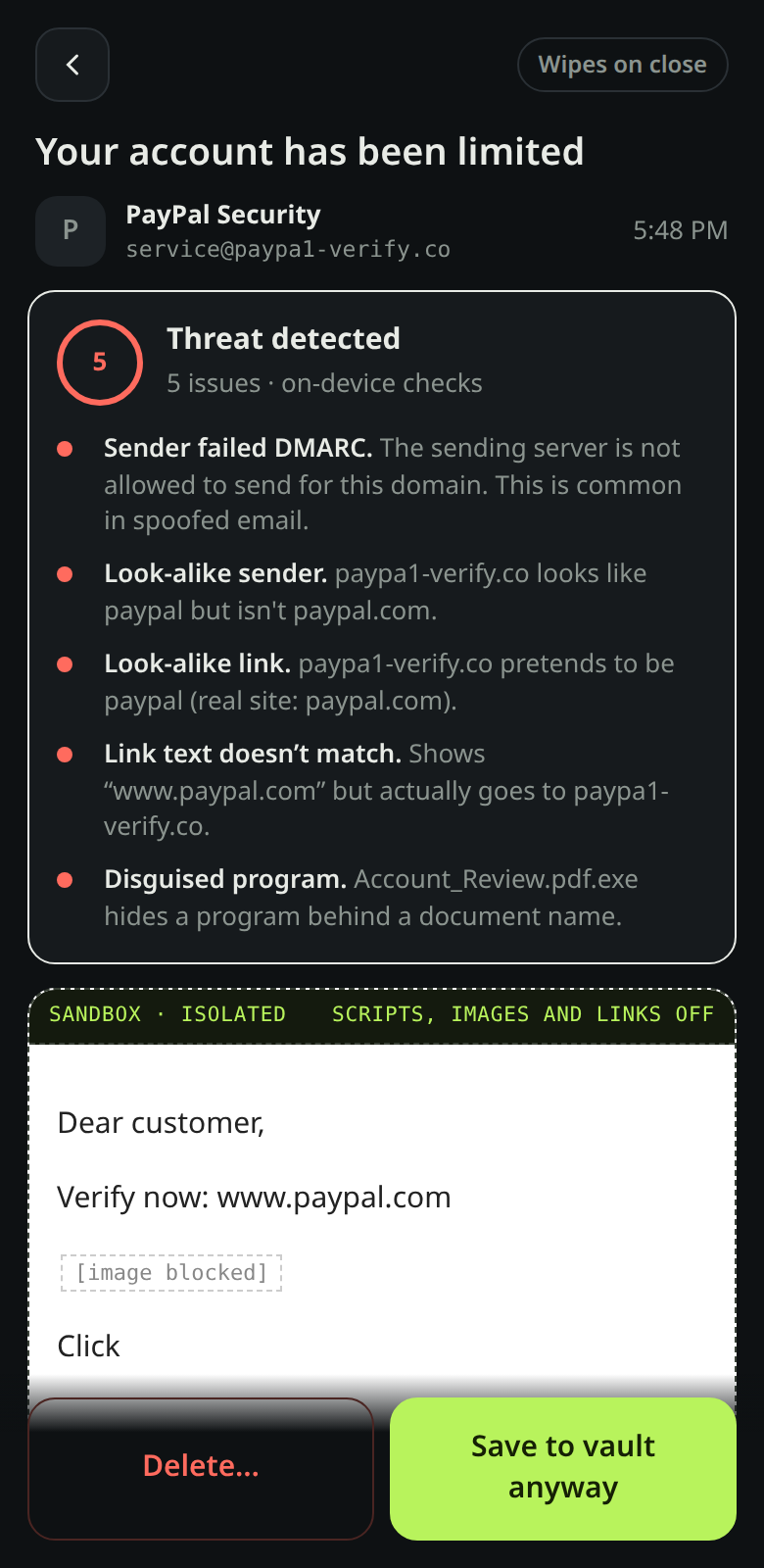
Emails open in an isolated viewer. JavaScript is off, remote images and tracking pixels are blocked, and links can't be tapped by accident.
Straight to your provider
WayStation connects directly from your phone to Outlook. iCloud and other IMAP accounts are coming soon. Your email never passes through a WayStation server.
Every folder
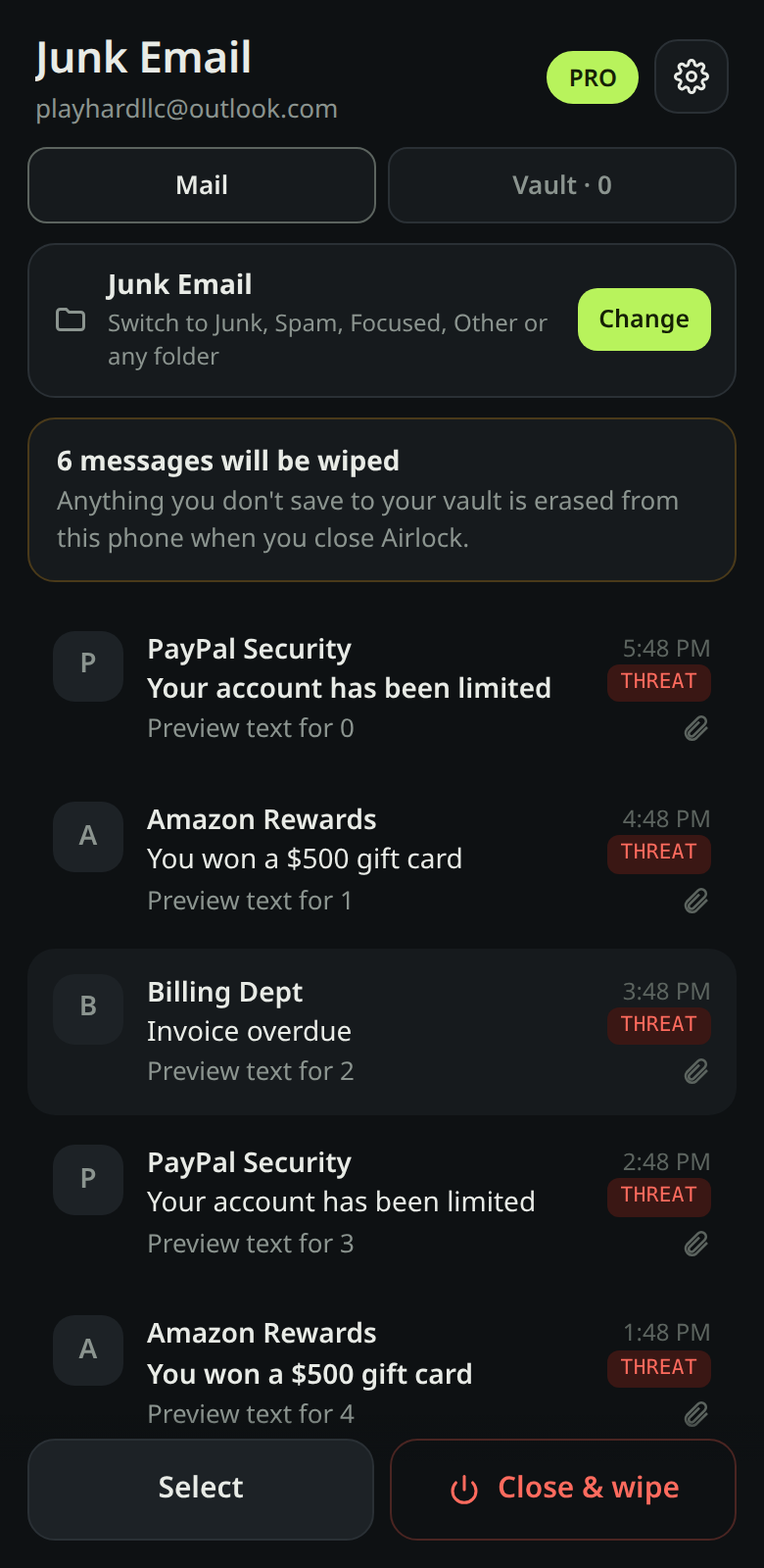
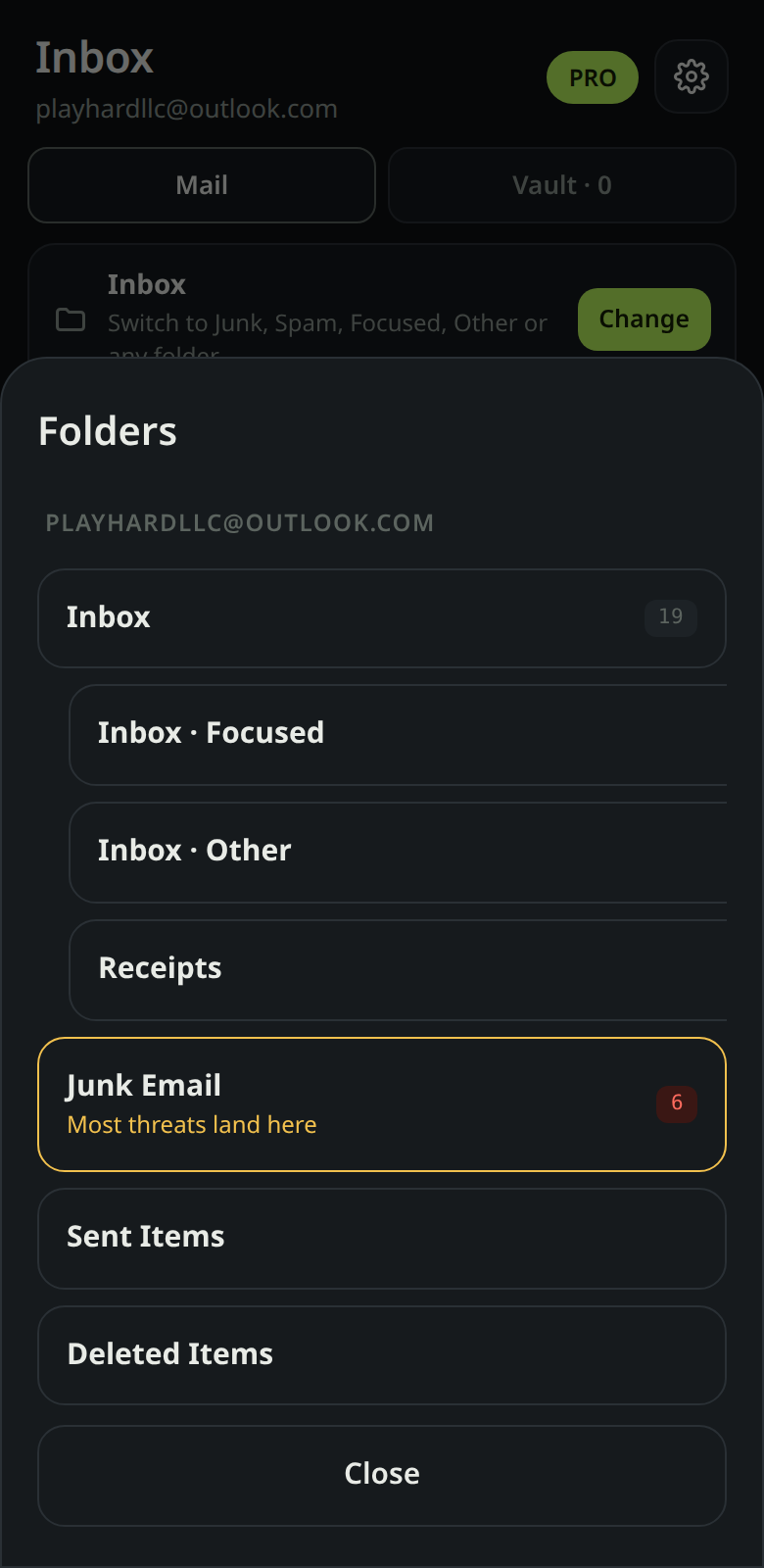
Open Junk, Spam, Focused, Other or any folder. Scroll through as much mail as you have.
Threat checks (Pro)
Spoofed senders, look-alike domains like paypa1.co, links that lie about where they go, and disguised files like invoice.pdf.exe.
Save or wipe (Pro)
Save the emails you want to an encrypted vault on your phone. Everything else is erased when you close WayStation.
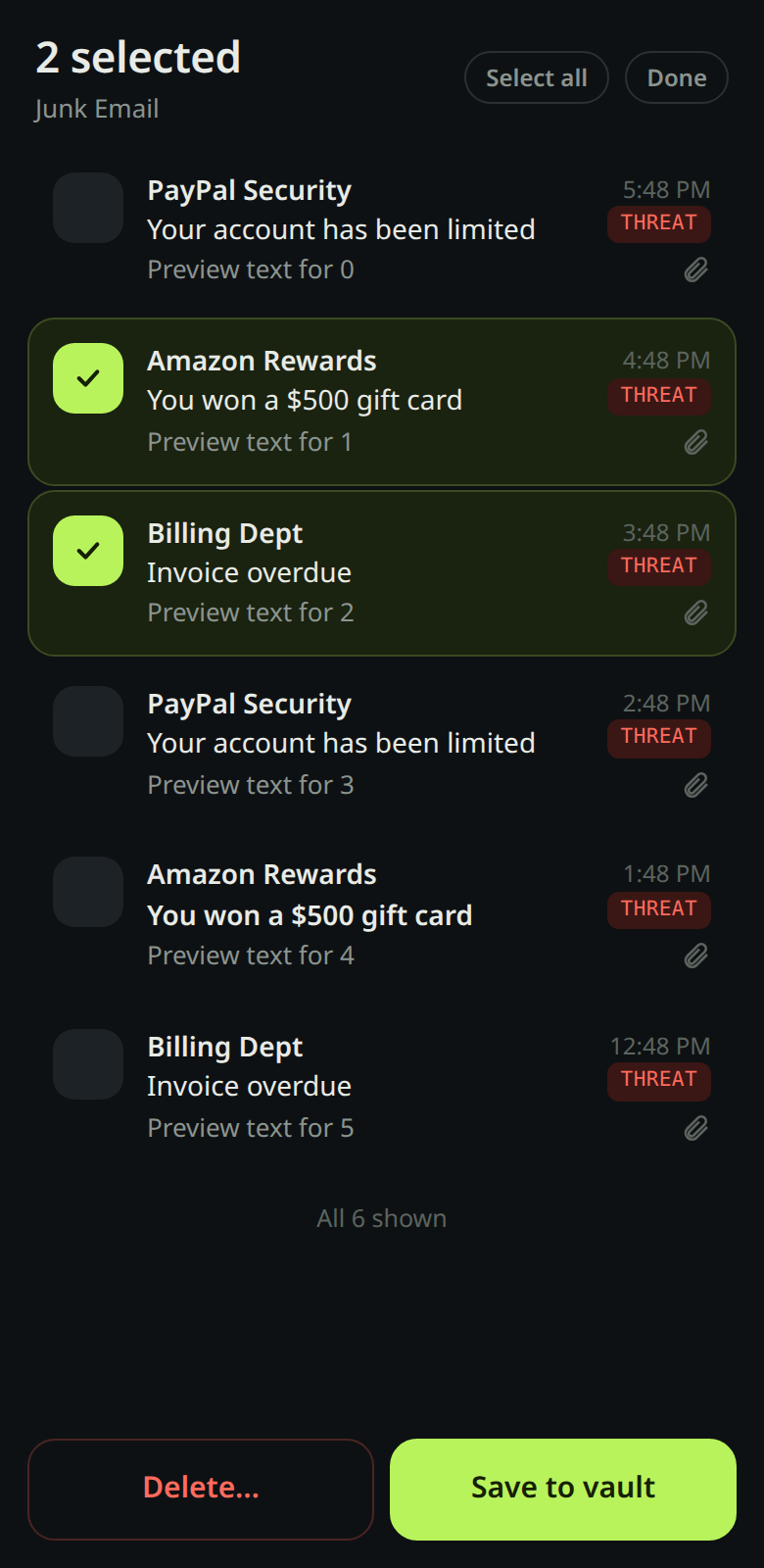
Bulk clean-up
Select a pile of junk and send it all to Trash at once. Deleted mail is recoverable from your provider's Trash for a while.
See it in action
Screens from the Android app.
How your mail flows
No WayStation server ever holds your email. Here is the exact path a message takes.
Your phone talks to your provider — directly
WayStation connects straight from your phone to Outlook, Hotmail, MSN, and Microsoft 365. iCloud, Yahoo, AOL, and other IMAP accounts are coming soon. No WayStation mail server in the middle.
The message is scrubbed on arrival
Scripts are stripped, remote images and tracking pixels are blocked, and links are disarmed before you ever see the message.
It opens in a sealed viewer
The email renders in a locked-down view: JavaScript stays off, nothing downloads on its own, and links can't fire by accident.
Pro checks run on your phone
Sender authentication, look-alike domains, deceptive links, and risky attachment file types — quarantined by name. Attachment contents are never scanned or uploaded.
What the app actually pulls from each email
- The Authentication-Results header → SPF, DKIM, and DMARC pass or fail.
- The From name and address → mismatch check (says "PayPal," isn't PayPal).
- Every link → its real destination vs. its visible text.
- Each attachment → file name, extension, size, and type. Never the file contents.
Close it and it's gone — or vaulted
Unsaved mail is wiped from your phone when you close it. Mail you keep goes into an encrypted vault on your device.
Your phone talks to your provider — directly
WayStation connects straight from your phone to Outlook. iCloud, Yahoo, and other IMAP accounts are coming soon. There is no WayStation mail server in the middle.
The message is scrubbed on arrival
Scripts are stripped, remote images and tracking pixels are blocked, and links are disarmed before you ever see the message.
It opens in a sealed viewer
The email renders in a locked-down view: JavaScript stays off, nothing downloads on its own, and links can't fire by accident.
Pro checks run on your phone
Pro verifies the sender, flags look-alike domains and deceptive links, and quarantines risky attachment file types. Attachment contents are never scanned — a "no red flags" result means the message passed its checks, not the files inside it.
Close it and it's gone — or vaulted
Unsaved mail is wiped from your phone when you close it. Mail you keep goes into an encrypted vault on your device.
What never happens
Your email is never uploaded to us, never stored on our servers, and never used to train anything. The only WayStation server in existence handles Pro license keys — it never sees your mail.
Pricing
Start free. Upgrade when you want scanning and the vault.
Free
- Sandboxed viewing
- 1 email account
- All folders, including Junk
- Bulk delete
Pro
- Everything in Free
- Threat checks on every sender and link
- Attachment quarantine
- Save-or-wipe encrypted vault
- Optional delete-from-account on close
- Up to 5 email accounts
7-day free trial. After you subscribe, your Pro key appears on the confirmation page. In the app, open Settings, tap Enter Pro key / restore, and paste it. Questions: waystationapp@outlook.com.
Questions
Does WayStation read or store my email on a server?
No. WayStation runs on your phone and talks directly to your email provider. There's no WayStation server holding your mail. Pro's threat checks run on your phone \u2014 sender authentication, look-alike domains, deceptive links, and risky attachment file types. Attachment contents are never scanned or uploaded.
Will WayStation delete anything from my account?
Only if you tell it to. "Delete from my account" moves an email to your provider's Trash. Closing WayStation wipes emails from your phone, not from your account, unless you turn on the optional close setting.
Why isn't it in the Google Play Store yet?
It's coming. For now you can install it directly from this site. Android will ask you to allow the install. The tutorials walk you through it.
Why can't I add Gmail?
Google requires a security review before apps can read Gmail. Gmail support is coming after that review.
Is WayStation a replacement for antivirus?
No. It's a safer way to look at email. It catches a lot, but no tool catches everything. Don't open files or sign in to links you weren't expecting.